An ID card has to do two jobs at once: identify a person instantly and survive years of handling. ID card design and printing is where those jobs are won or lost — in the photo zone, the type sizes, the contrast behind the name, the placement of a barcode and the material the card is built on. This guide covers the decisions behind ID card printing in Riyadh, from the first layout to a bulk run with variable data.
Cards fail in predictable ways. A photo cropped so the face is half hidden. A name set in light grey on a white background. A barcode printed over a dark band so the scanner refuses it. A logo placed where the chip or punch slot will sit. Each is a design issue, not a printing issue, and each is cheap to fix before the run and expensive to fix afterwards.
ID card design at a glance
| Decision | Typical answer | Why it matters |
|---|---|---|
| Format | CR80, 85.6 × 54 mm | The footprint of standard holders, printers and wallets |
| Orientation | Portrait for staff, landscape for visitors | Controls how the card is read in a pouch |
| Material | PVC for most programmes | Durability, print method and card thickness |
| Print technology | Digital, offset or retransfer | Colour, detail and whether personalisation is in-house |
| Variable data | Name, number, photo, barcode | Determines the data file and the production workflow |
| Security | Hologram, UV, microtext, chip | Protects against copying and supports access control |
Card anatomy and the safe area
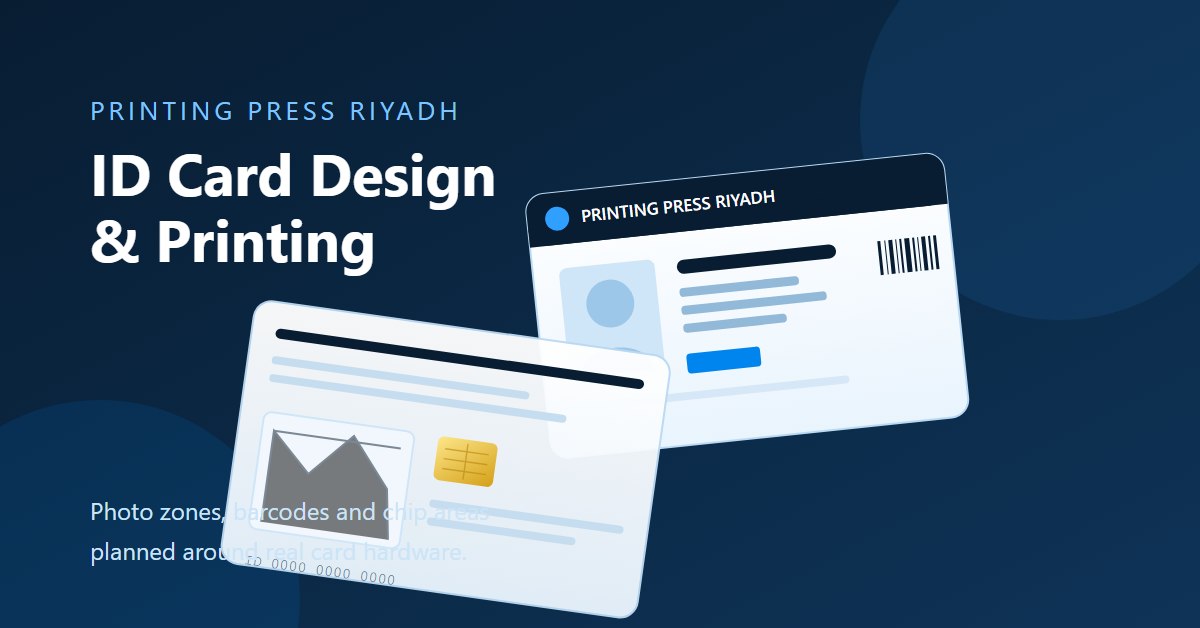
A card is smaller than most people imagine when they design on a full screen. At 85.6 × 54 mm, a 9 pt line of text is already near the limit of comfortable reading, and the edges are where punches, chips and wear happen. Set up the artwork on the supplied template, then treat the outer 3 mm as untouchable: no type, no logo detail, no barcode.
- Photo zone: a consistent rectangle that crops every employee the same way.
- Name and role: the largest text on the card, with strong contrast against its background panel.
- Logo: usually top-left or bottom-right, sized to stay legible at arm's length.
- Card number: monospaced or clearly spaced so it can be read and typed.
- Barcode or QR: on a light, quiet background with a clear margin.
- Access band: a colour strip that lets security identify a group from a distance.
- Chip or antenna area: kept free of metal inks and heavy dark coverage.
Sizes, thickness and materials
| Specification | Typical value | Notes |
|---|---|---|
| Format | CR80 (85.6 × 54 mm) | Standard wallets, holders and printers |
| Thickness | 0.76 mm (30 mil) | Thicker cards feel more durable but need clearance checks |
| Material | PVC, PET, composite | PET is stiffer and more resistant to heat |
| Finish | Gloss or matte | Matte hides fingerprints; gloss shows colour more vividly |
| Personalisation | Printed, laminated or engraved | Affects durability of names and photos |
| Chip option | Contact, contactless or both | Requires a free antenna area in the artwork |
Layout that works at arm's length
Most ID cards are read in a hurry, at a gate or reception desk, from about a metre away. That single fact should drive the hierarchy: face first, name second, role third, everything else supporting. Cards that try to fit a full brand story, a safety message and three contact lines end up with nothing readable.
- Use one clear background panel behind the name rather than text directly over a photo.
- Keep the photo large enough for recognition, not just decoration.
- Limit the card to two type families and three sizes.
- Use colour coding for departments or access levels, but keep the code consistent across the batch.
- Leave breathing room around the logo; crowded edges make a card look unofficial.
Printing technologies compared
| Method | Colour and detail | Best for | Notes |
|---|---|---|---|
| Digital card printing | Full colour, good detail | Short and medium runs | Efficient when data changes per card |
| Offset | Full colour, very consistent | Large static runs with personalisation later | Best unit price at high volume |
| Dye sublimation retransfer | High detail, edge-to-edge | Photo-heavy cards and over-the-edge printing | Suits on-demand personalisation |
| Direct-to-card | Good colour, robust | In-house badge printing | Requires card stock matched to the printer |
Variable data and personalisation
Once the design is fixed, the card becomes a data product. Names, employee numbers, photos, expiry dates and barcodes change per person, and the file structure has to support that without manual editing. Supply a spreadsheet or CSV with one row per card, images named to match the rows, and a clear column map showing which field goes where. Then approve one printed sample from the real data before the batch runs.
| Item | What to supply |
|---|---|
| Data file | CSV or spreadsheet, one row per card, with consistent headers |
| Photos | Named by employee ID, consistent crop and background |
| Field map | Which column fills the name, role, number and expiry |
| Barcode data | The exact string to encode, plus the symbology required |
| Proof | One personalised sample approved before the full run |
Security features
- Holograms and overlays: a visual check that the card is genuine.
- UV ink: a mark that appears only under a UV lamp.
- Microtext: very small type that photocopies as a solid line.
- Guilloche patterns: fine background linework that is difficult to reproduce.
- Ghost images: a second, faint photo to complicate substitution.
- RFID or NFC: a chip for access control and contactless verification.
Security should match the risk. A visitor pass for a one-day exhibition needs less than a permanent staff card for a data centre. Over-specifying adds cost and production time without improving the outcome.
Artwork setup for card printing
| Item | What to supply |
|---|---|
| Template | Use the CR80 template with bleed and safe area marked |
| File format | Vector PDF or AI with outlined text, one page per side |
| Colour | CMYK with Pantone references for brand colours |
| Resolution | 300 dpi at final size for photos and raster elements |
| Fonts | Embedded or outlined; avoid very light weights at small sizes |
| Bleed | 2 mm with background extending beyond the trim |
| Proof | Physical sample for colour, material and text legibility |
Design the card, pouch and lanyard together
The card is viewed inside a holder and worn on a strap, so the set should be designed as one object. A portrait card needs a portrait pouch with the window in the right place; a card with a top barcode needs a pouch that leaves the code visible or a slot that allows the card to be lifted. Pair the card with our lanyard printing and ID accessory service in Riyadh so the card, pouch and strap arrive matched.
ID card design mistakes to avoid
- Designing without the template, then discovering the trim cuts through the logo.
- Using a photo with an inconsistent background across a batch.
- Setting the name in a light weight or a low-contrast colour.
- Placing a barcode on a dark or patterned area.
- Forgetting the chip or antenna zone on contactless cards.
- Using RGB colours that shift when printed on PVC.
- Approving a digital proof for a laminated or matte finish without seeing a sample.
What drives ID card cost
| Factor | Effect on price |
|---|---|
| Quantity | Unit price falls with volume, especially on offset runs |
| Print method | Digital suits short runs; offset wins at high volume |
| Personalisation | Variable data, photos and numbering add processing time |
| Card material | PET and composite cost more than standard PVC |
| Security features | Holograms, UV and chips add per-card cost |
| Finishing | Matte laminate, spot UV and engraving change the price |
ID card printing in Riyadh and delivery
Card printing, personalisation and matching accessories are handled in our Riyadh facility, so a staff badge programme can be produced, checked and delivered as one order. Standard runs are scheduled against the start date you need cards in hand; event and visitor batches can be planned for same or next working day delivery in Riyadh, with scheduled transport to Jeddah, Dammam, Khobar, Makkah, Madinah and the rest of the Kingdom.
How to order printed ID cards
- Send the card design, orientation, quantity and finish.
- Confirm the data file format and whether personalisation is required.
- Approve a printed sample for colour and legibility.
- Approve the quotation and production schedule.
- Receive cards, or the complete card, pouch and lanyard set.
A card people will actually wear with confidence
Good ID card design is quiet: the face is clear, the name is easy to read, the colour code works at a glance and nothing important sits where a punch, chip or pouch edge will interfere. Get those basics right and the card keeps doing its job long after the launch photos are forgotten.
For the strap and holder side of the set, see our lanyard manufacturing guide for Saudi Arabia.
ID card printing FAQ
The standard is CR80 at 85.6 by 54 mm, usually 0.76 mm thick. It fits common holders, wallets and card printers, which is why most staff and visitor programmes are built on it. Non-standard sizes need their own holder and printer checks.
Yes. Send a CSV or spreadsheet with one row per card, photos named to match the rows, and a field map showing which column fills the name, role, number and expiry. One personalised sample is approved before the full batch is produced.
Send a vector PDF or AI file on the CR80 template, one page per side, with text outlined, 2 mm bleed, CMYK colour and Pantone references for brand colours. Raster photos should be 300 dpi at final size, and no text should sit within 3 mm of the trim.
Yes. Contactless and dual-interface cards can be printed and personalised, provided the artwork keeps the antenna and chip area clear of heavy dark coverage and metallic inks. Tell us the access system at enquiry stage so the card specification is matched to the reader.
Lead time is confirmed in writing with the quotation because it depends on quantity, personalisation and finishing. Standard runs are scheduled against the date you need cards in hand, and urgent event or visitor batches can be planned for same or next working day delivery in Riyadh.
Bottom line
A card works when the face, name and access colour are readable at a glance and nothing important sits under a punch, chip or pouch edge. Order cards with matching lanyards and pouches from our Riyadh team, and approve one personalised sample before the batch runs.